START WITH YOUR QUESTION
Hotel Lobby Trend in Higgsfield: Reference Workflow
Plan a Hotel Lobby-style video in Higgsfield with motion and identity references. Check the selected mode, generation cost, faces and audio.
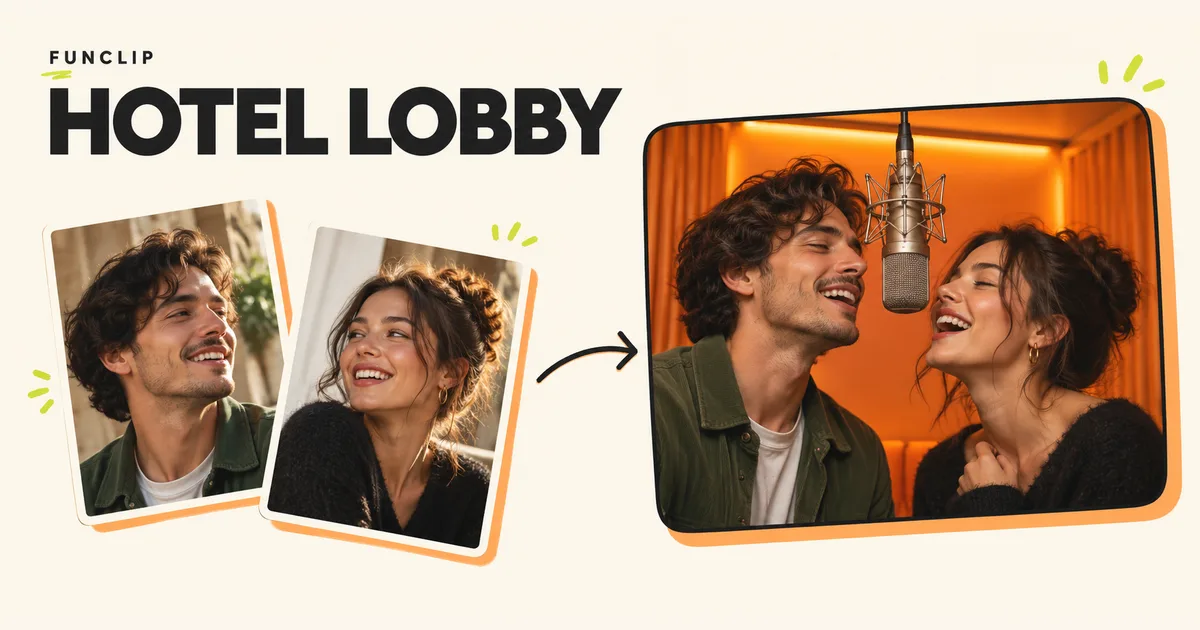
For a Hotel Lobby-style video in Higgsfield, start by deciding whether you want to preserve a filmed performance or generate a new orange-studio duet. Higgsfield's Genjutsu page describes rebuilding a scene from references while retaining motion. It is a reference-based route to explore, not a promise that a named Hotel Lobby preset is available in every account.
Choose the relevant workflow
The official Higgsfield Genjutsu page presents character and object replacement alongside a motion-transfer approach. Its public examples show changes to appearance and setting around an existing performance. Use the Generate now entry there to reach the current setup, and check the available model, input requirements and price before confirming a generation.
For this trend, keep the job small: two recognizable adults, a simple orange background and a short continuous performance. Adding a new location, elaborate camera movement and multiple costume changes makes it harder to judge whether your main goal worked.
The following preparation and review method applies to that reference-based task. Follow Higgsfield's live controls for the actual submission; a product demonstration is not proof that your two-person reference will produce an exact match.
Prepare a reference you can use
Start with footage you have permission to upload. Your own two-person recording gives you control over the timing and poses. Put the camera on a fixed support, keep both performers visible and leave enough room for the final crop. You can imitate the general orange-stage composition without copying the original recording.
Choose separate, clear images for the two intended identities. Label the references in your working folder by position, and keep the same assignment throughout the project. If you use several views of someone, inspect them together. A second image with a very different haircut, face angle or heavy filter may introduce ambiguity instead of resolving it.
Before opening the generator, make a simple shot brief:
| Decision | Example for a personal duet |
|---|---|
| Who stays on the left? | The adult in the first identity reference. |
| Who stays on the right? | The adult in the second identity reference. |
| What should the motion source control? | The short exchange and its timing. |
| What should the setting look like? | Plain orange studio, both adults visible. |
| What sound do you need? | Your own recording, separately permitted music, or new generated audio where supported. |
This is a planning example, not an exact prompt tested to reproduce the original performance. Translate the brief into the input and reference labels the current interface provides. Do not assume that a tool capable of using a reference video also accepts your chosen audio file.
Review the generation plan
Open the official Genjutsu entry and inspect what the selected mode will change. Choose motion transfer when your goal is to rebuild the surrounding appearance; use the relevant replacement mode when your goal is a more limited change. Check the displayed requirements before attaching files.
Make each reference's purpose explicit. A description such as “make us do Hotel Lobby” leaves the system to infer the people, setting, movement and soundtrack. A short brief with assigned identities is easier to review before spending credits.
Confirm the duration and aspect ratio available for the mode you select. Use the cost shown for that exact setup, including any required plan. This guide does not promise a free Higgsfield generation or infer a price from a different model's offer.
Check the whole performance
Save a first export before making edits. Then watch these moments separately:
- The opening: both intended adults should be identifiable, in the intended positions.
- A profile or turn: compare the face before and after the turn.
- An overlap: check whether a hand, microphone or second person causes an identity change.
- The ending: confirm both people remain consistent and the shot finishes cleanly.
If the orange setting is right but the faces are wrong, review the identity references before changing the whole scene. If the identities are stable but the performance feels unlike your reference, compare the movement and timing. Change one part of the setup at a time so you can evaluate the next attempt.
Do not assume visual similarity means the original song is included. Use the song and lyrics resource page to locate the reference recording, then check your actual export's audio and your intended publishing permissions.
Compare with the photo-only FunClip route
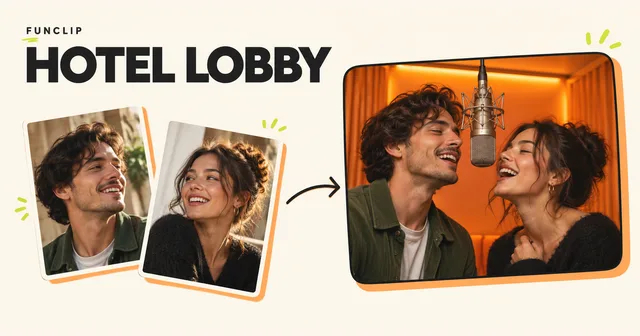
FunClip's Hotel Lobby tool creates a new orange-studio duet from two adult portraits. It produces a 10-second 768P MP4, with portrait or landscape framing and an optional theme for new English rap. It requires a paid credit pack. It does not accept a custom motion video or provide the original Hotel Lobby song or artist voices.
Choose it if that fixed scene and a new personal performance meet your goal. Watch the public examples and follow the two-photo tutorial. If keeping a particular filmed motion is essential, continue with the reference-based workflow and assess its output against your source.